Serum 2 works* on Linux now
I have exciting news for Linux musicians: it's now possible to run Xfer Records' Serum 2 (and the OG Serum) under Wine! But the relevant information is scattered across GitHub issues and repositories, and the total effort required is substantial, at least at the time of writing. I'm going to do my best to explain the setup process here.
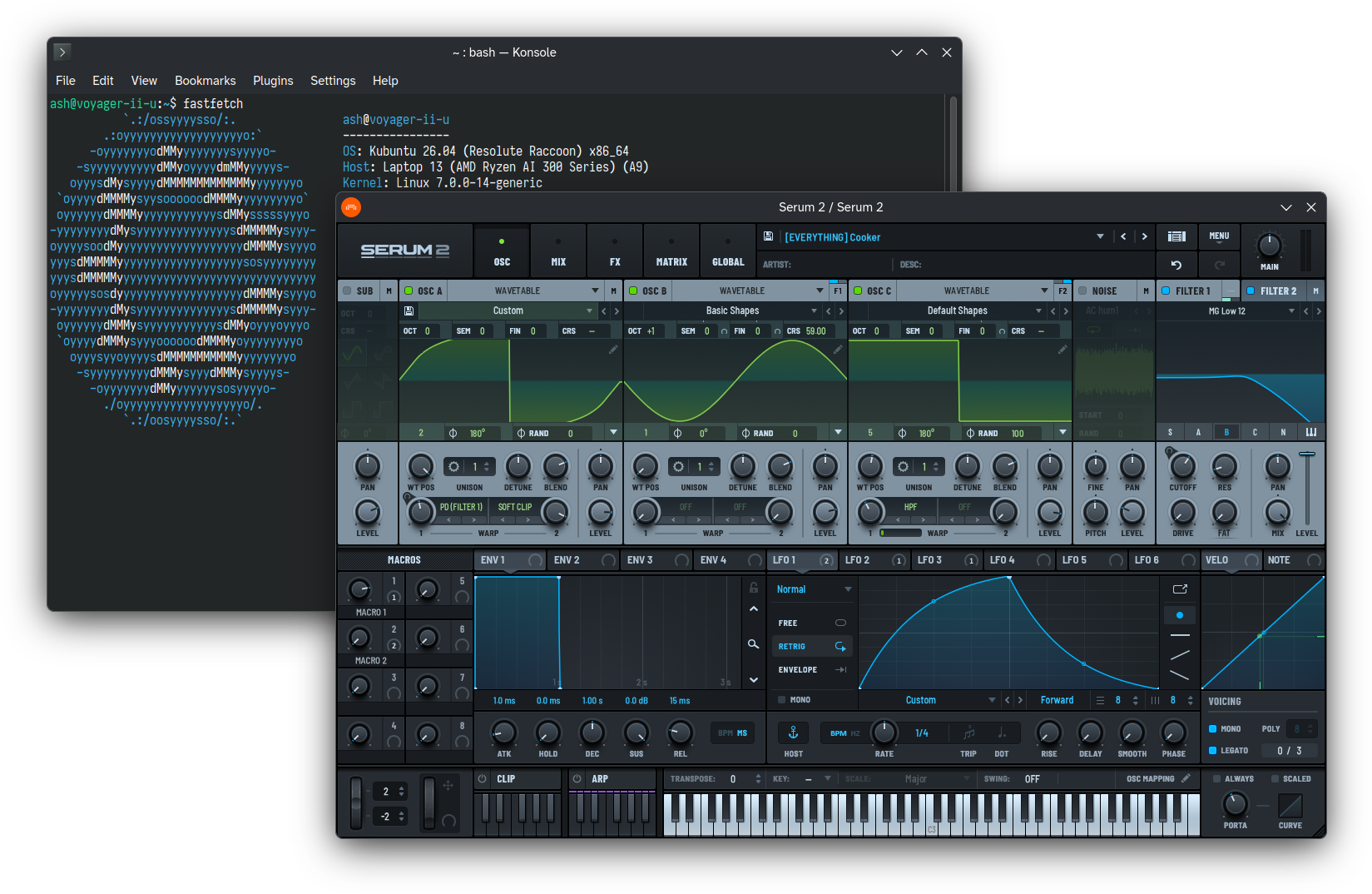
Context
In my 2025 blog post about running FL Studio on Linux, I lamented the gap in Wine's functionality that made running Serum 2 impossible:
Serum 2 doesn't load in FL under Wine. Seems like Wine has a long way to go to support Direct2D, which both editions of Serum use, but only Serum 2 requires. Big bummer.
A couple things have happened since then, mostly contained in the now-massive GitHub issue about Serum 2's issues under yabridge. The timeline is interesting, but it's irrelevant to the setup process, so I'll put it at the bottom of this post for those curious.
In any case, it's now possible to not only run Serum 2 on Linux, but get decent performance out of it — pretty sick! But the technology is nascent; it's not exactly packaged with gift wrap and a bow yet. So, get ready to go on a bit of a Linux journey here.
Who this guide is for
I'm inevitably going to have to make some assumptions for this guide. In particular, I'm assuming:
- You want to bridge Serum 2 into a Linux DAW,
not run your whole DAW under Wine.
- I learned the hard way that running FL Studio under Wine is a janky mess.
- yabridge is excellent; it's the cornerstone of this whole operation. Don't install it just yet, though, we'll get there.
- You have other Windows plugins from other vendors you want to run, too.
- I've had good experiences with Kilohearts, Goodhertz, and FabFilter plugins under Wine, to name a few.
- The problem is that they require a different Wine version than Serum 2, which currently runs best with a much more recent fork. But we'll solve that problem!
- You're using a modern install or derivative of Debian, Fedora, or Arch
(since Wine's compile-time dependencies are documented for those distros).
- I'm using Kubuntu 26.04, a Debian-based distro, mainly because Bitwig is distributed as a .deb package.
- You're comfortable running & compiling code from various GitHub repositories
in order to get a plugin to work.
- I've done my best to catalogue all the details here (or point to READMEs where applicable), but this stuff inevitably gets complicated. If you find it overwhelming, come back in a few months; the process will likely have gotten easier.
- Not to mention that running any code you got online carries a risk. Full respect if this is your threat model, but I just don't believe there are bad actors targeting such a niche use case.
Setup guide
Step 0: Install your DAW
You'll need a native Linux DAW to benefit from yabridge. I'm using Bitwig Studio, but Reaper and Ardour / Mixbus are also viable options.
Whatever you choose, make sure to install it using a non-sandboxed method, such as your system's native package manager! DAWs distributed as Flatpak applications are incompatible with yabridge and likely always will be.
Step 1: Install Bottles
Bottles is a Wine manager & configuration interface that streamlines the use of multiple "Wine prefixes" - essentially separate "C drives" for programs with disparate Wine configuration requirements. I strongly recommend it for managing VST installations because the required setup for Serum 2 doesn't work for most other VSTs (at least not yet), and juggling multiple Wine prefixes by hand is a nightmare.
Bottles is installed as a Flatpak application, but we'll be side-stepping the sandboxing that breaks yabridge for DAWs by running its Wine environment(s) directly on the host system, so don't worry about that.
I recommend creating at least two bottles: one for Serum & Serum 2 and one for other VST plugins.
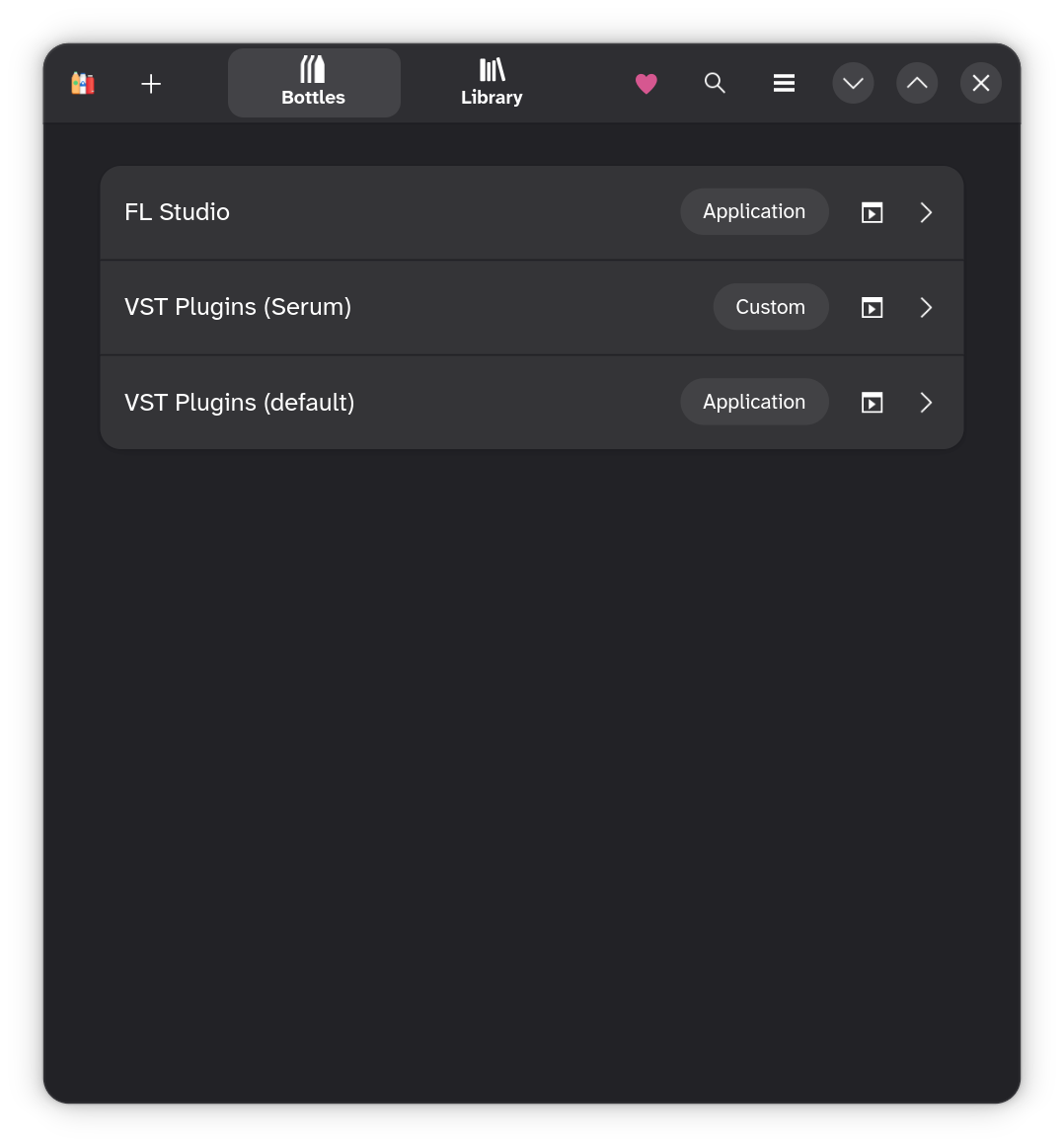
The choice of "Custom" or "Application" doesn't matter.
Step 2: Build Wine d2d1 fork
GitHub user @giang17 has been working on a set of Direct2D patches for Wine, and the results have been validated by multiple users in the Serum 2 mega-issue. These patches enable both Serum and Serum 2 to run much faster & with fewer bugs than any prior workaround methods.
First, you'll need to install all the dependencies needed to build Wine. Here are the dependencies I needed to install on my Ubuntu-based system:
sudo apt install gcc-multilib gcc-mingw-w64 libasound2-dev libpulse-dev libdbus-1-dev libfontconfig-dev libfreetype-dev libgnutls28-dev libgl-dev libunwind-dev libx11-dev libxcomposite-dev libxcursor-dev libxfixes-dev libxi-dev libxrandr-dev libxrender-dev libxext-dev libwayland-bin libwayland-dev libegl-dev libxkbcommon-dev libxkbregistry-dev libgstreamer1.0-dev libgstreamer-plugins-base1.0-dev libsdl2-dev libudev-dev libvulkan-dev flex bison
Most of these dependencies are documented on the Building Wine wiki page, but in a table that unhelpfully prevents selecting just the packages for your own distro, hence my curated list above. If you use Fedora or Arch, you'll need to assemble the command yourself because the package manager and the package names will all be different.
Once you have the dependencies installed,
follow the fork's build instructions;
make sure to read the notes before running any commands.
In particular,
since this process uses Bottles,
you'll need to replace --enable-win64 with --enable-archs=i386,x86_64 in the ./configure invocation.
Step 3: Add compiled Wine fork as a Bottles runner
If the build succeeded,
you should find the output under /opt/wine-d2d1.
Copy or move this wine-d2d1 directory to ~/.
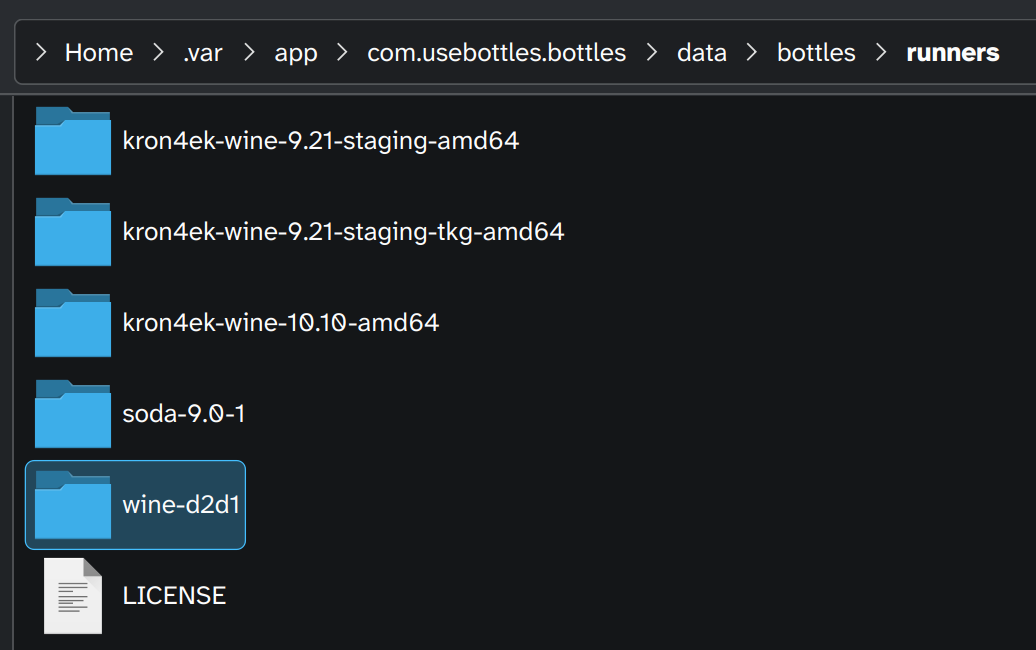
Now, open or restart Bottles, go to your Serum bottle's settings, and change the runner to wine-d2d1.
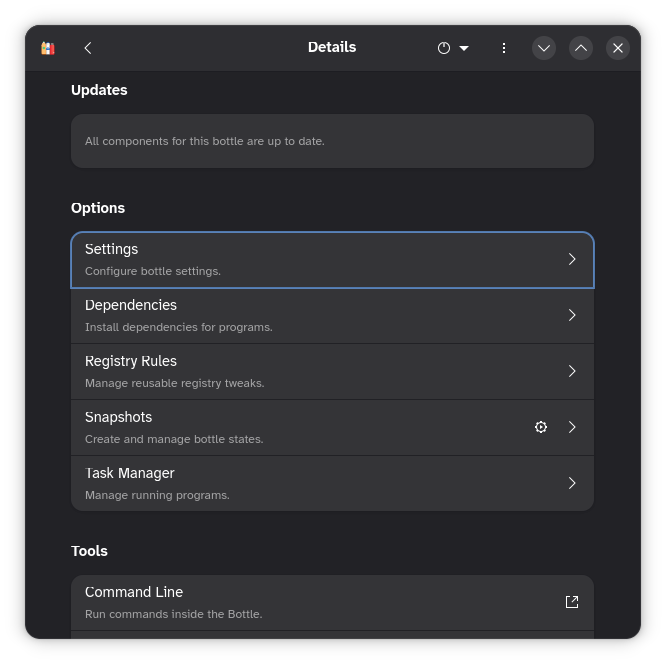
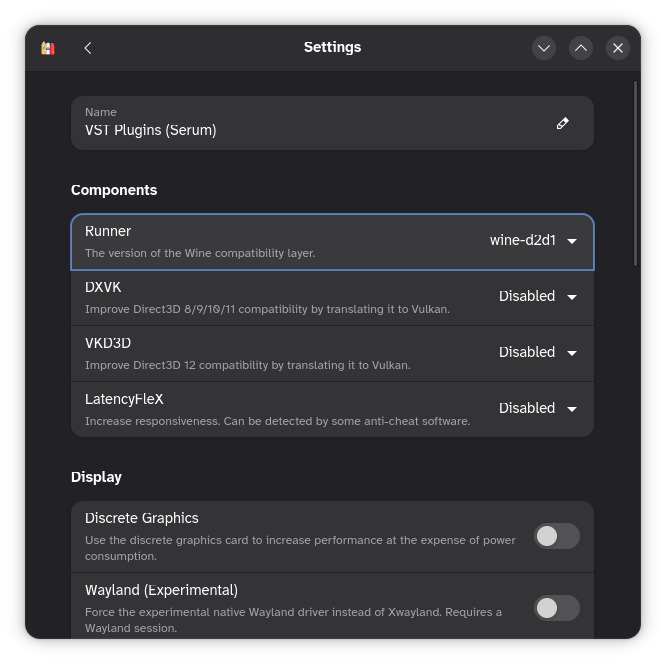
While you're here,
go ahead and set your non-Serum bottle's runner
to kron4ek-wine-9.21-staging-tkg-amd64.
You'll also probably want to enable DXVK
in the non-Serum bottle's settings.
Step 4: Install Xfer plugins in the Serum bottle
Grab the installer(s) for your legally-purchased plugins from Xfer Records' website and run them in your Serum bottle.
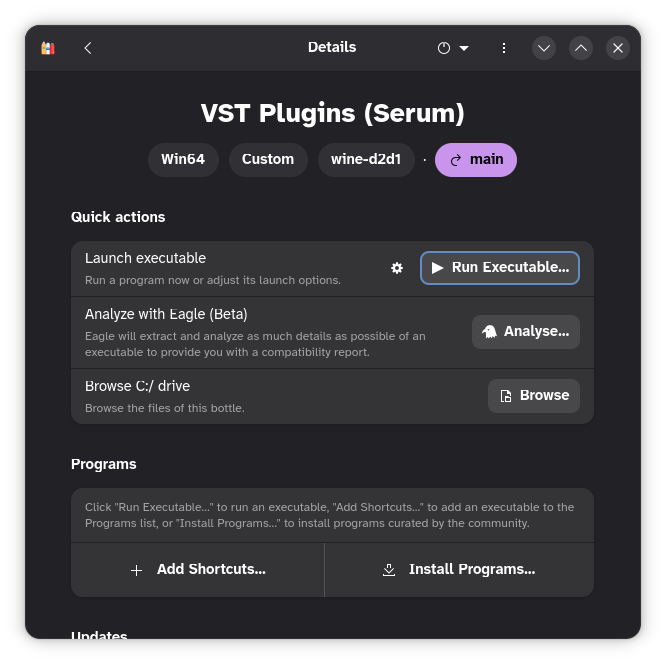
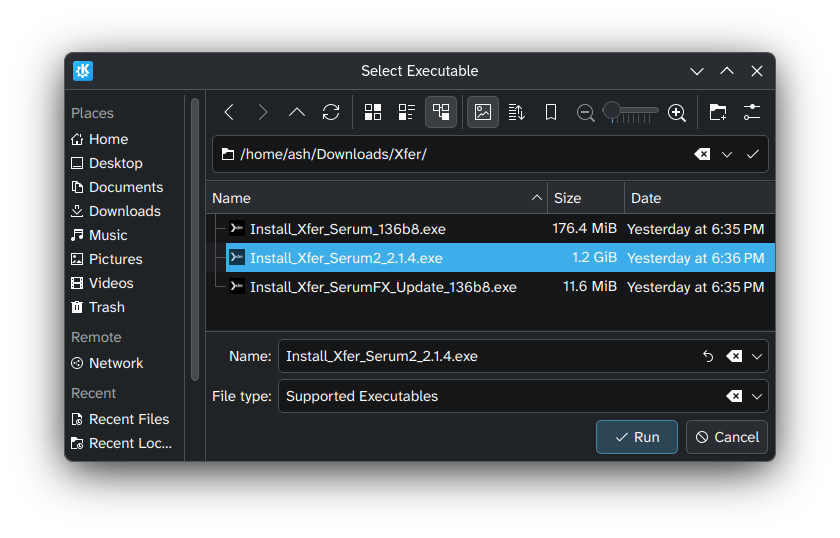
Step 5: Install development build of yabridge
yabridge's README covers how to install a development build. The most recent available build is likely fine. Follow the instructions in the README carefully since the automated build artifacts are somewhat awkwardly packaged.
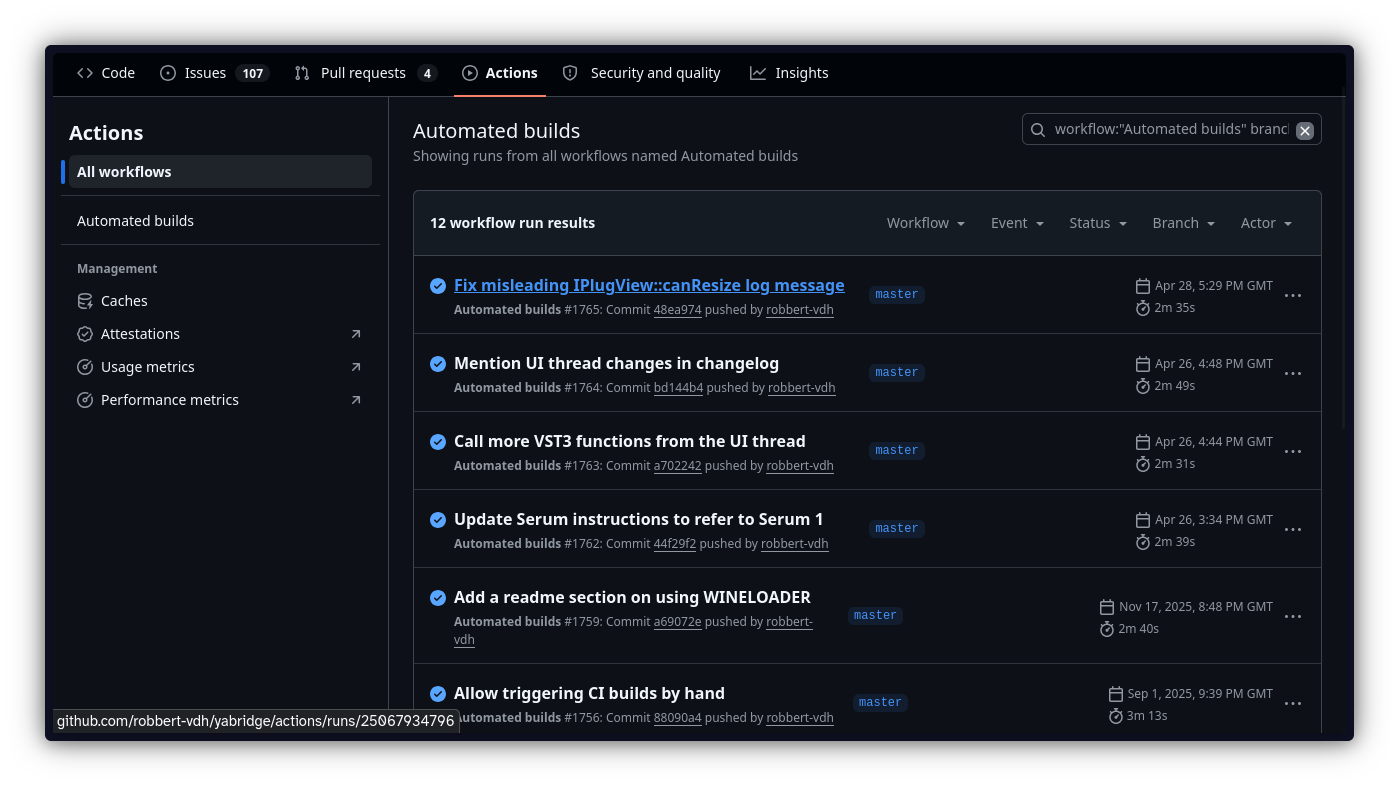
Give the rest of the README a read, too! It's incredibly detailed and answers a lot of questions you're likely to have, such as:
- How to add
yabridgectlto yourPATH - How to use yabridge in general
- How to configure yabridge to fix plugin-specific issues
Hold off on adding your plugin directories for now, though; there's one more piece of glue we need to put everything together.
Step 6: Install yabridge-bottles-wineloader
yabridge-bottles-wineloader automatically sets some Wine-related environment variables on behalf of yabridge that tell it which version of Wine (AKA Bottles runner) & which Wine prefix to use for each plugin.
Just follow the installation instructions in the README. You should have already installed Bottles and yabridge by this point, so skip those steps and proceed from there.
Step 7: add your plugin directories to yabridge
Each of your bottles has a Wine "C drive" with a path like this:
~/
Each of these C drives contains two "Program Files" (x86 and non-x86) directories. Both should have a "Common Files" subdirectory, and under there you'll find sub-subdirectories for your VST2, VST3, and/or CLAP plugins. Run this command for each of those:
yabridgectl add [full path to CLAP/VST2/VST3 directory]
Once you've added all the plugin paths,
you can verify them using the following yabridgectl list.
For example, I ended up with these 5 paths:
$ yabridgectl list
/home/ash/.var/app/com.usebottles.bottles/data/bottles/bottles/VST Plugins (Serum)/drive_c/Program Files/Common Files/VST3
/home/ash/.var/app/com.usebottles.bottles/data/bottles/bottles/VST Plugins (default)/drive_c/Program Files/Common Files/CLAP
/home/ash/.var/app/com.usebottles.bottles/data/bottles/bottles/VST Plugins (default)/drive_c/Program Files/Common Files/VST2
/home/ash/.var/app/com.usebottles.bottles/data/bottles/bottles/VST Plugins (default)/drive_c/Program Files/Common Files/VST3
/home/ash/.var/app/com.usebottles.bottles/data/bottles/bottles/VST Plugins (default)/drive_c/Program Files (x86)/Common Files/VST3
Once your plugin paths are set, run yabridgectl sync to scan them for plugins.
You can then verify the results using yabridgectl status.
Step 8: Scan for plugins in your DAW
Your DAW might already know to look for plugins in the aformentioned home subdirectories, but if not, this is a good time to add them.
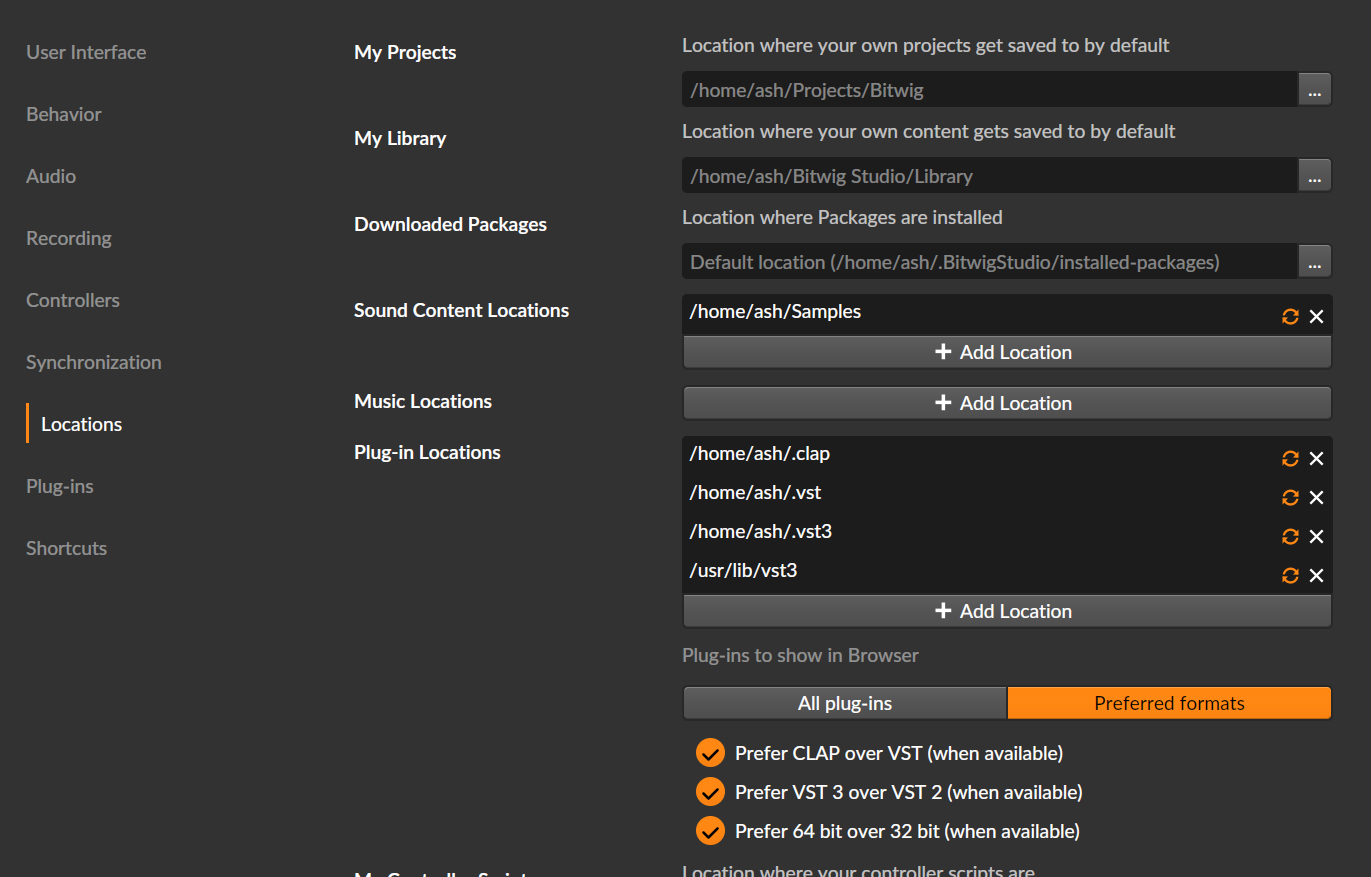
Assuming everything went smoothly, you should now see your desired plugins as instruments / effects in your DAW, including Serum 2!
Step 9+: Write some damn music
Now for the hardest part: quit fiddling around with all this computer nonsense and go make something cool for the world to hear.
Timeline & acknowledgements
I promised a timeline of events in the context, so here it is:
- In August 2025, the kind folks at Xfer
added some configuration keys
to make Serum behave better under Wine's partial Direct2D implementation,
particularly by disabling DirectComposition (a D2D feature).
The resulting UI was slow & buggy, but was enough of an improvement to spark hope.
- Huge thanks to Nick Dowell at Xfer for communicating these changes openly!
- Over the next few months, various users pinpointed issues related to fonts, D2D implementation bugs, and Wine versions.
- In February 2026, GitHub user @giang17 began sharing progress
on a set of patches to Wine 11.0,
with the goal of making Serum 2 runnable without disabling DirectComposition.
- And, again, Nick from Xfer showed up with some changes to Serum 2 to help bridge the gap.
- Meanwhile — since before Serum 2 was even out —
Robbert (author of yabridge) & various contributors were working on an update to yabridge
to account for a compatibility regression from Wine 9.22 onwards.
This change in Wine caused VST plugins' draw & input coordinates to become detached from one another;
the fix in yabridge, to my understanding,
changes how VST GUIs are embedded such that the coordinates are in sync once again.
- This branch was merged just two days ago at the time of writing, but a proper release will come later. I'll update this post when that happens.
Big thanks to Robbert, Nick, Giang, and all the other contributors & users for the massive amount of work & brainpower poured into this issue. It's never been a more exciting time to be a Linux musician, and we owe these open-source contributors some huge thanks for their dedication.