Divesting from Big Tech in 2025
About 20 years ago, Google shook the world with its newest product: Gmail, a free email service with an entire gigabyte of storage attached. It was the start of a beautiful, connected world. Apple then casually dropped the most revolutionary computing device of the century, and Microsoft remembered how to make a good operating system with Windows 7. Streaming services like Netflix and Spotify completely reshaped how we consume media, while social platforms like Facebook and Twitter did the same for our online conversations. Consumer technology was taking over our lives, and we ate it up. Guys, the free market works! It really works!!

In the age of surveillance & subscriptions, nobody's thrilled about any of this stuff anymore. Big Tech took our money, bought out the competition, and pulled the rug from under our feet. It's hard to reconcile with how much of our lives we handed over to these massive corporations.
I'd like to try to claw mine back.
One of my long-term missions has been to replace these Big Tech products with alternatives throughout my life, particularly FOSS options whenever possible. Some of them are drop-in replacements for their Big Tech counterparts; others require substantial lifestyle changes. You almost certainly won't like every decision on this list, but they all made sense for me, and I'd like to catalogue them for anyone interested.
My operating system
The last time Microsoft gave me a good reason to stay on Windows was when they released PowerToys; it's all been downhill from there. I mentioned the issues with Microsoft that actually matter in my blog post on running FL Studio on Linux, but to air out some of my less pressing gripes:
- My desktop computer is precisely one CPU generation too old
to be eligible for a Windows 11 upgrade.
- Does that mean it won't bother nagging me about Windows 10's impending EOL? Of course not!
- Did I actually want to upgrade this PC, which already ran all my games & programs just fine? Not really!
- Deferring system updates is a constant game of cat-and-mouse
between Microsoft and the common wisdom online.
It's infantilizing.
- Set your update time range to a tiny sliver in the middle of the night! Oh, that doesn't work anymore. Well, just hold Shift when you click the power icon for the normal shutdown options. What do you mean that doesn't work either?!
- Now when you search for this information, you'll find redditors gleefully whinging about how people are sooo scared of a little update... as if Windows updates aren't known for discarding unsaved work, interrupting games, and bricking computers.
- AI blah blah blah telemetry blah blah ads
So, I finally caved and went back to Linux, ending my decade-long stint with Windows. My first choice of distro was Fedora (version 42, KDE spin). This wasn't an especially principled decision — it was just one of the officially supported distros for my new Framework laptop.
But back to operating systems. Fedora is a perfectly usable & polished OS; I think it's a good choice for anyone who stands to benefit from the cutting-edge hardware support but doesn't want to deal with an unstable or more advanced distro. I might've stuck with Fedora longer-term if it weren't for a single critical piece of software:
My DAW
Before I talk about migrating away from FL Studio, I should clarify that its developers, Image-Line, are in no way implicated by my divestment journey. The accessibility of FL Studio is the reason why I make music today. Their "free updates for life" promise has only gotten more & more compelling with the passing years. I don't agree with all of their product decisions — especially the ones that involve embedding ChatGPT into a creative software suite — but I respect them as a leading force among DAWs and admire their dedication to the users-first pricing model.
Sadly, FL Studio runs unacceptably poorly on Linux. That's only their fault insofar as they decided not to prioritize Linux development, but the impact on my creative output is the same either way. So, recently I've been cooking with something new:
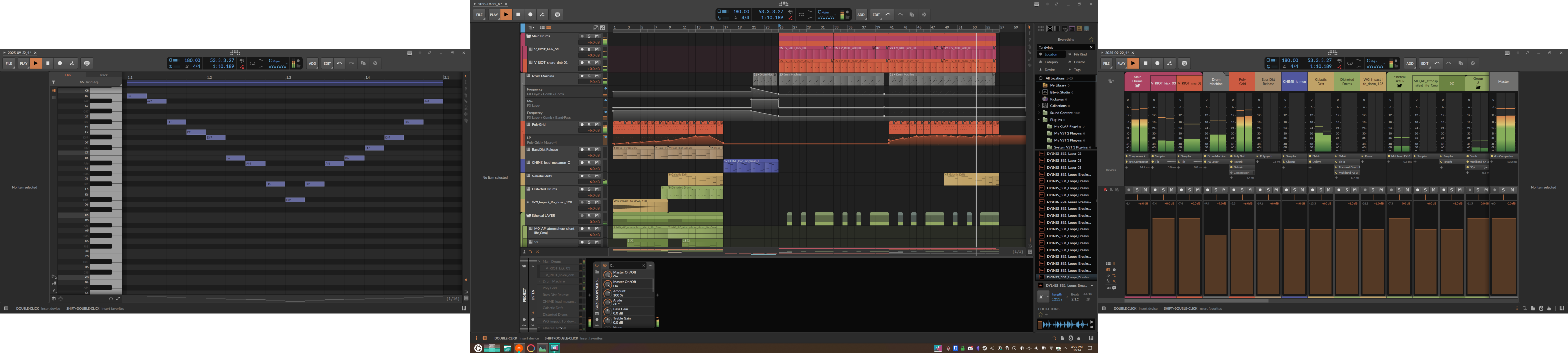


Bitwig Studio is not the same as FL Studio, and the learning curve has been steep for me. But it's really cool on its own merits. It's built by a bunch of ex-Ableton engineers who wanted to do better, and I feel like they've succeeded, although I can't say that authoritatively. They've clearly thought a lot about how a DAW can enable the songwriting process. And with the latest update (Bitwig 6 beta), they've dialed in a lot of the fundamental app interactions. I have a lot more to say about this DAW, but I'm saving most of it for a dedicated blog post.
Importantly for me:
- Bitwig runs natively on Linux — no messing around with Wine needed!
- ...unless you intend to bridge Windows VST plugins — see below.
- Fortunately, Bitwig's plugin sandboxing model means that misbehaving plugins generally won't crash the entire DAW.
- Bitwig's multi-monitor support is pretty good. Not perfect, but workable for me.
- I'm so relieved I don't have to stick to a single monitor like I thought I might with FL under Wine.
- I wish the devices panel would stick to the arrangement window, and I wish the other windows wouldn't randomly swap places on startup. But that's small potatoes.
Bridging Windows VSTs is done using yabridge, made by the same author as Spectral Compressor — cool dude! It doesn't work any miracles, but it vastly reduces the headache of managing plugin-specific Wine configurations. In general, if a plugin can be made to work under Wine, it can work in tandem with everything else using yabridge, even if it requires a bespoke version of Wine.
My (new) operating system
All this yabridge stuff works beautifully once it's set up, but it's not bulletproof. In fact, it's the reason why I ended up switching from Fedora to Kubuntu (version 25.10). I'll try to explain:
- Bitwig for Linux is available in two packaging flavors: Flatpak and Debian (
.deb). - Between those two options, only Flatpak is usable on Fedora, because it's an RPM-based distro (as opposed to Debian-based).
- yabridge is fundamentally incompatible with DAWs distributed as Flatpak applications. The process isolation model just wasn't designed for use cases like this.
- While I had success naïvely running Bitwig 5's Flatpak binary outside of the Flatpak environment, this hack stopped working with Bitwig 6, leaving me with no practical way to use VSTs inside my DAW.
My new choice of distro, Kubuntu, solves this problem
by enabling me to install Bitwig as a .deb package instead.
Simple as that!
Anyway, if you're shopping for your first Linux distro, I recommend just picking one you vibe with and not worrying too much about the details. Research is always good, but it'll never replace the hands-on experience you get by installing & daily-driving the software. All things considered, I'm glad I tried Fedora, even if I ended up switching due to unforeseen compatibility issues.
Regarding desktop environments, I still wholeheartedly recommend KDE for anyone who wants to really customize their desktop experience. KDE was the next major criterion for my new OS after Debian-ness, and I made sure to carry over the configuration from my Fedora install. But, for everyone else, GNOME and its descendants like Cinnamon work just fine out-of-the-box. Linux Mint, Pop! OS, and plain old Ubuntu are all perfectly usable options from what I've heard. Advanced Linuxheads may be interested in EndeavourOS or CachyOS,¹ but if that's you, you probably don't need my advice.
¹ I'm using CachyOS on my old desktop computer, which now serves as our home's dance game PC.
My browser
I've been using Firefox since around 2018 (when Chrome's Manifest V3 was announced), maybe a little later. Prior to that, I used Ungoogled Chromium, a popular fork of Chrome's open-source codebase. Browser forks, in general, have always felt unpolished to me — there's always something that gets in the way of the intended UX. Firefox just worked, and that was good enough for me.
But Mozilla, in its infinite wisdom, looked down its pants and got a great idea for how to use a hammer.² And now Firefox is bad, too.
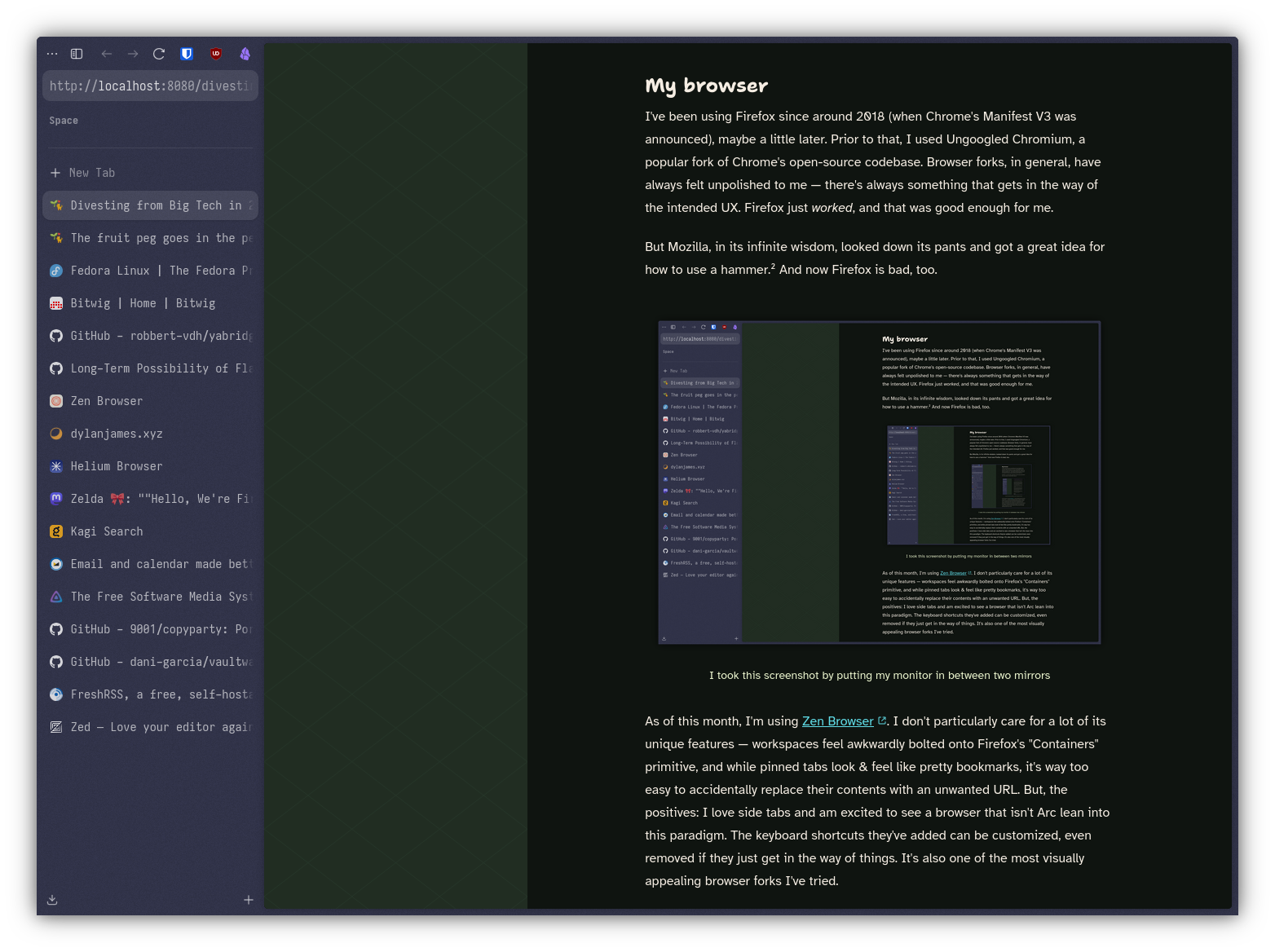
As of this month, I'm using Zen Browser. I don't particularly care for a lot of its unique features — workspaces feel awkwardly bolted onto Firefox's "Containers" primitive, and while pinned tabs look & feel like pretty bookmarks, it's way too easy to accidentally replace their contents with an unwanted URL. But, the positives: I love side tabs and am excited to see a browser that isn't Arc lean into this paradigm. The keyboard shortcuts they've added can be customized, even removed if they just get in the way of things. It's also one of the most visually appealing browser forks I've tried.
My friend Dylan wrote a good blog post about browsers. He's tried more of the modern offerings than I have, and he landed on Brave, despite its many faults (he'll be the first to tell you about them). The one other browser I would toss into the ring is Helium, a privacy-centric fork of Chrome based on Ungoogled Chromium.
² h/t @TheZeldaZone@mastodon.social for this analogy
My web search provider
For as much as the Google Search experience has deteriorated over the decades, the sheer breadth of their web index is still best-in-class. When I tried switching to DuckDuckGo a few years ago, I found myself re-querying the same terms on Google time and time again, to the point where I gave up and set Google back to my default.
I don't think this was entirely my fault: DuckDuckGo, too, has become a noticeably worse experience over the years. Their results often contain as many ads as Google, and they push their own AI stuff in front of you on the default settings (which I find myself on often, for various reasons). I think this is sort of unavoidable in the free web search market: if it's free, that means you're the product, no matter who's running it. And I'm sick of being the product.
So, I'm on the paid search engine Kagi now.
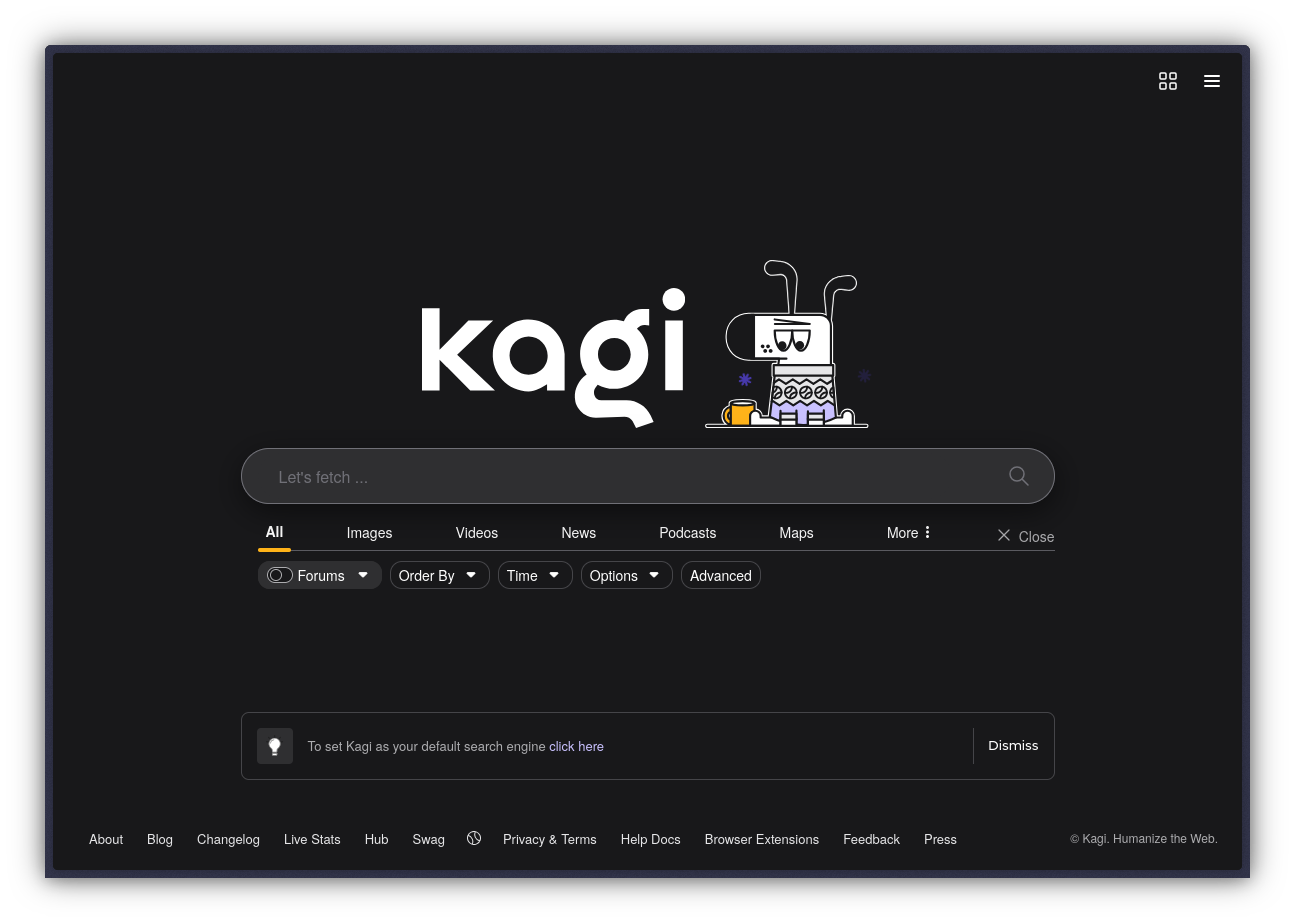
If you balk at the thought of paying for web search, I completely understand & agree. I wrote the thought off as an unnecessary luxury for a long time. But, after giving the free trial a spin, I found it hard to deny that it was vastly better than all the free options. The results are not only good out-of-the-box, but fine-tunable on a per-domain basis! The inclusion of bangs is nostalgic, and maybe one day useful to me. There are AI features around, but they don't shove themselves into my face or run without my permission. Kagi respects my time & my intelligence as a user and I've learned well enough to appreciate that.
Kagi even lets you upload custom CSS, and it works everywhere you're signed in — even on your phone! I nuked the Assistant link at the top of the homepage using custom CSS and saw it disappear from my phone the instant I refreshed and I felt like a god.
Anyway, this is not an ad, and to that end I should mention what I don't like about Kagi. The lowest-priced plan includes 300 searches per month, which I think is too low for most people, and definitely myself. I apparently average 25 web searches per day! The way Privacy Pass works is weird — it kicks you out of your login session, which makes sense from a technical standpoint, but I wish they had just used a subdomain instead. Finally, while the "small web" lens sounds charming, it's pretty underwhelming in scope; none of the blogs I care about are on it.³
For most people, DuckDuckGo is probably fine; I did ultimately switch to it from Google earlier this year, despite my past struggles to commit. But Kagi has made me realize how crap the free search user experience has become. It's one of the only non-essential subscription services I currently allow into my life.
³ Submitting small websites for inclusion is done by creating a pull request on a public GitHub repo, which is clearly a stopgap solution, but strange nonetheless for a privacy-oriented company.
My email
Email sort of sits in the middle of the "self-hostable" to "just sign up somewhere" spectrum. Yes, technically you can operate a mail server yourself, but everyone with domain knowledge will scream at you to save your future self the many headaches. Email is a ridiculously complex & overgrown technology, and the list of self-hosting pitfalls is probably longer than this blog post.
Email is also a service that most people I know don't pay for, or think about that much. But I think the case for paying for email is stronger than web search, especially from a privacy standpoint. I don't need to hand an advertisement company a list of every account I've ever created and everything I've ever paid for, no matter what their privacy policy says.
I've been paying for Fastmail since 2017. It grants all of my domains the ability to send & receive emails (including meow.garden), and even offers catch-all aliases for maximum ease of use. Their service has remained nearly the same for the last 8 years, which gives me confidence that they're not pursuing infinite growth, and so will likely survive the next 8 years too. This is objectively good for a service as essential as email. I'm not sure if they've ever given me anything to complain about.
This is admittedly petty, but I also like that Fastmail doesn't pay YouTubers for ad reads, in contrast to Proton.
My media library
When I tell you that I've never paid for Spotify, Netflix, or any of the dozens of streaming services for TV channels & media moguls... I don't entirely mean it as a flex. The truth is that I'm fully out-of-touch with mainstream media, precisely due to this insistence of mine! It's a big part of why my interests as a consumer are so decidedly niche. That can be a blessing at times, but trying to interact with, like, normal people — the kind who have watched Breaking Bad and Severance and know what movies came out this year — really turns it into a curse. And I need those people in my life to maintain my perspective on what's normal!!!
So, you probably shouldn't take anything in this section as advice. But I'll mention where I am with it anyway, because it's a huge part of my mission, whether I'm happy with where I currently am or not.
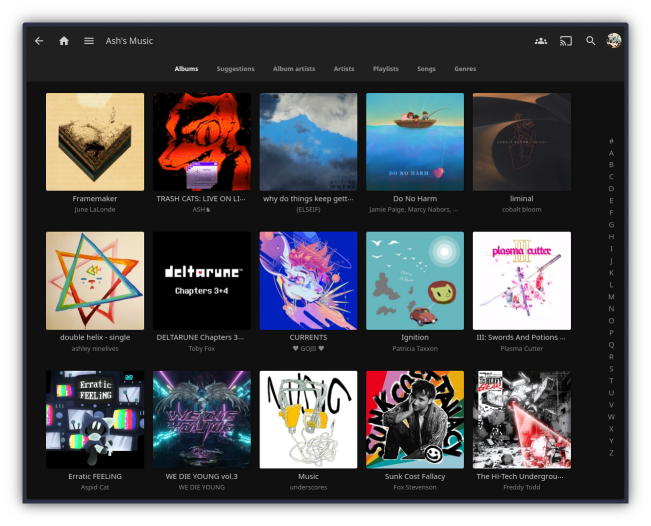
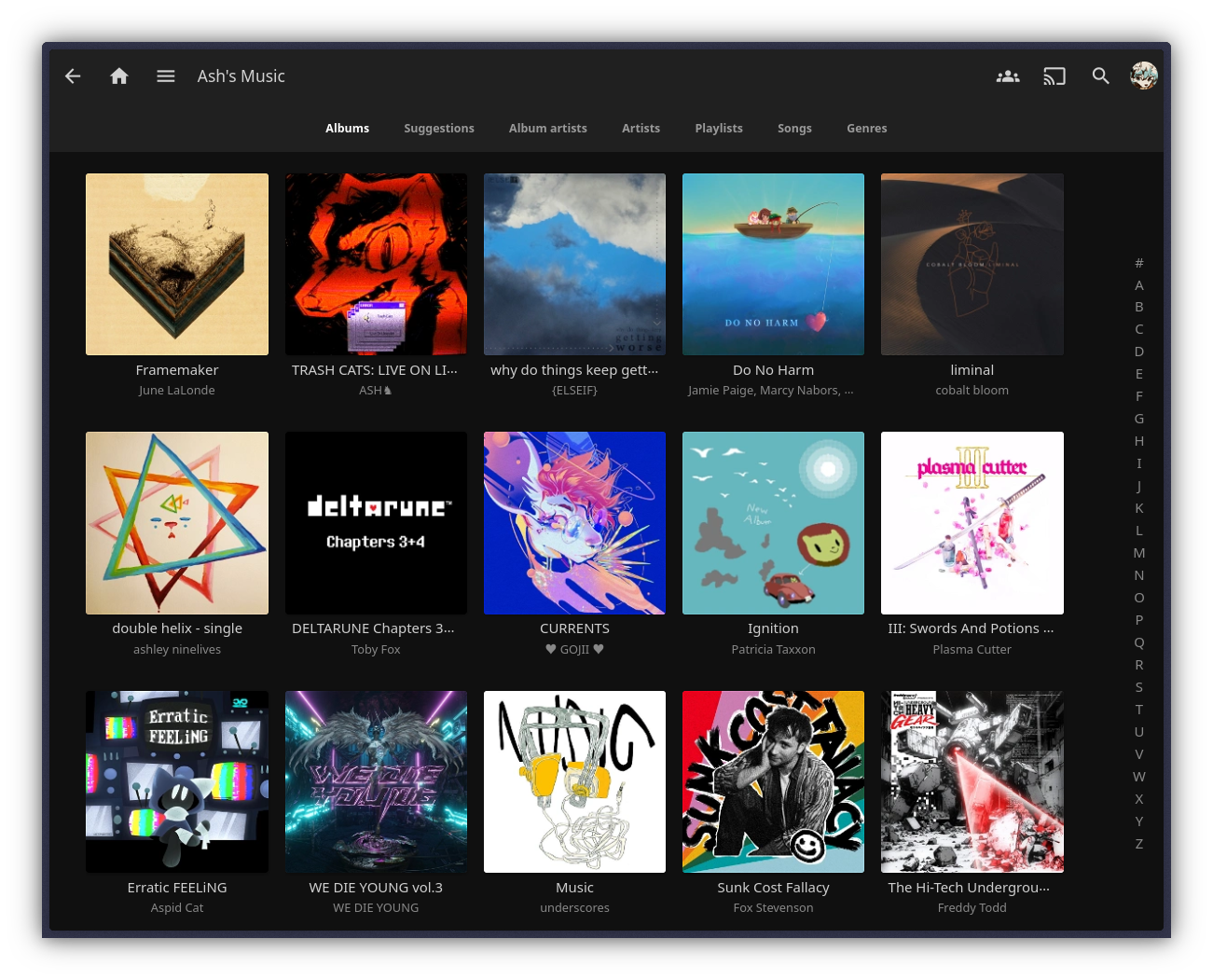
One of my big projects this year was to overhaul my personal NAS computer into a home-wide NAS, featuring a media server that my housemates and I can upload to. Our collection isn't expansive by any means, but it has all the shows & movies we actually want to watch together, and it grows every month. We use the official "Swiftfin" client on our Apple TV — a recommendation from a friend that I agree was a solid one-time purchase. The NAS itself is just a computer I built a couple years ago, running TrueNAS, Jellyfin, and copyparty for file transfers.
This same server also hosts my full personal music collection (pictured above) — over 300 GB of audio files, accessible anywhere on the network. I use the unofficial "Fintunes" client to listen to music on my phone. Depressingly, I still haven't settled on a music client for Linux because nearly all of them handle transcoded copies of albums poorly. This is Apple's fault for never bothering to support FLAC and my fault for using iOS's stock Music app for so long.
My password manager
This one's simple: I self-host Vaultwarden, an unofficial Rust implementation of the Bitwarden server API. The official Bitwarden client supports self-hosted servers on all platforms, so this has always worked seamlessly for me. I host the server on a cheap VPS that also runs a bunch of other things I operate online. Vaultwarden is pleasantly lightweight and plays nice with shared resources, especially compared to the official Bitwarden server image.
Insofar as this counts as Big Tech divestment: I cannot fathom entrusting my credentials or payment details to my browser vendor. Not that I think Google or Mozilla will ever misuse that information, but they can choose to revoke access to your account at any time, and that's about as unacceptable of a risk when it comes to the keys to my entire digital life!
How I stay ~connected~
The social media landscape is a hot mess right now. Twitter's heyday is over, Tumblr & Bluesky have destroyed their goodwill with terrible moderation, and Meta's products are about as appealing as licking a poisonous frog. Don't ask me what's going on with Mastodon; I'm not here to sell you on the next underfunded & understaffed platform. In fact, I'm already done talking about social media. This section is about RSS!
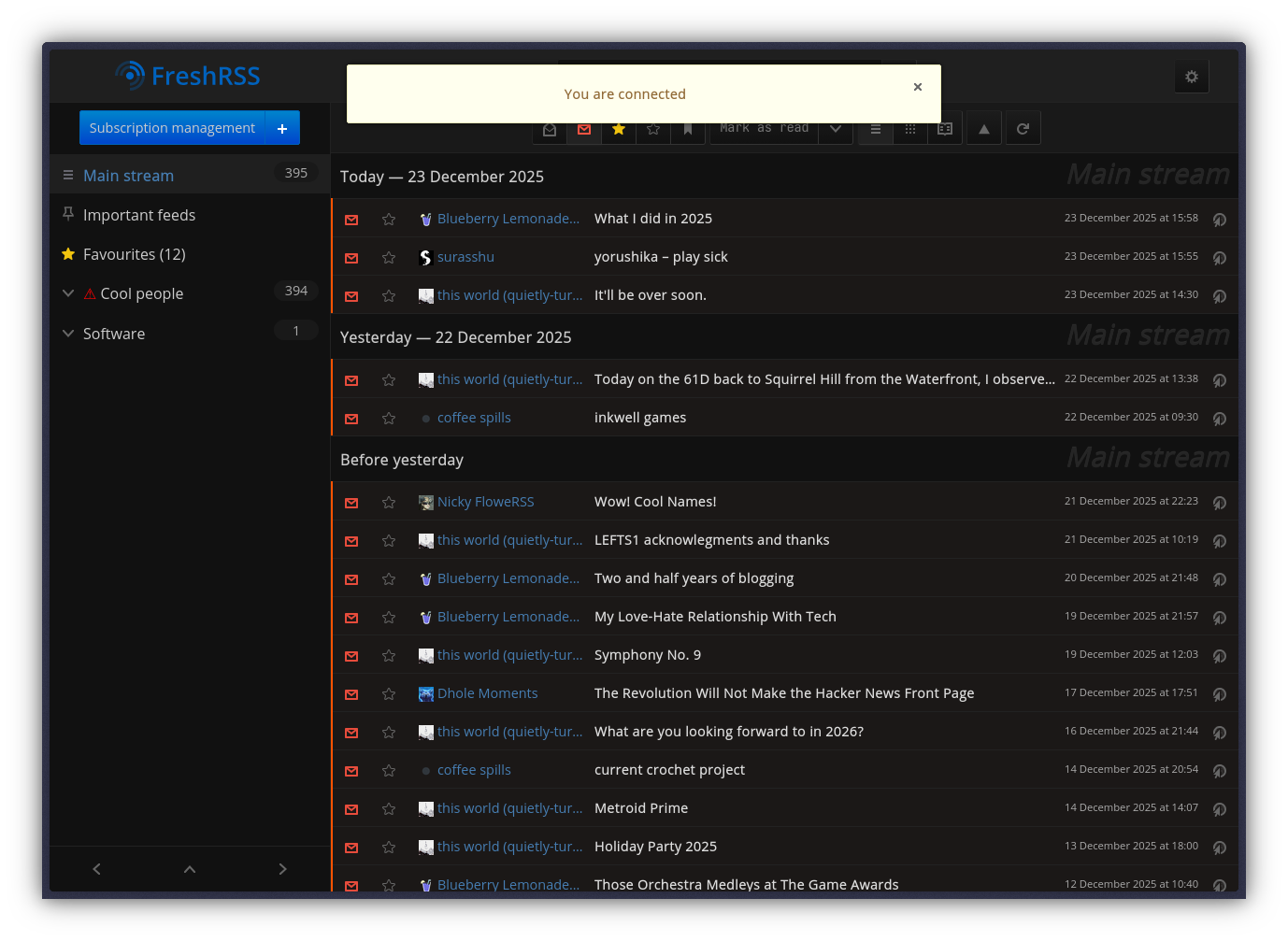
One of the other self-hosted pieces of software I use is FreshRSS, an RSS feed manager that interoperates with various other clients. I typically read it on my phone; there, I use the free, open-source, and ad-free(!) iOS app NetNewsWire. When I was still on Windows, I was happy with the Fluent Reader app. I haven't found a similarly polished client for Linux, but I'm not especially missing having a desktop solution. Some of my friends use the Firefox extension Feedbro and are happy with it.
I use RSS to follow a couple dozen friends' & acquaintances' blogs, and I'll curate a short list of them for a future blog post. You can also use RSS to follow GitHub releases; it's a decent way to keep tabs on security patches for self-hosted server software. Is it a replacement for social media? Of course not. But I love that RSS is still usable in this era. It feels punk in a way that few other web technologies do.
My code editor
In a vacuum, Microsoft's VS Code got a lot of things right. It's the least Electron-feeling Electron app ever made, which is all the more impressive given its scale. Language servers are such an obviously good idea, and they've improved the code authoring experience for folks across a variety of editors. I don't feel compelled to fiddle with it; it's unobtrusive, productive.
But, well, now we're in the second paragraph of this section. You know what's coming. I know what's coming. Do I even need to say it? Does anyone mind if I just skip it this time?
I wanted to tell you that I switched to Kate, KDE's in-house editor. Kate has LSP support, Vim mode, some nice themes, and a seamless visual identity in tandem with the rest of the KDE ecosystem. It's a native desktop app written in good old Qt. It should be perfect for me!
But it's not quite there yet,
and it seems like progress is slow
(it's crowdfunded open-source, after all).
The file panel hides .gitignore'd items,
as well as empty directories,
which makes performing basic file operations frustrating.
Its integration with Python's LSP
causes the text cursor to jump to the bottom of the file
on each save that formats the code.
I wish I could dismiss these as infrequent nuisances,
but they're not.
They're incredibly disruptive bugs
that pull me out of my workflow
and make me switch apps or micromanage my code editor instead.
I blame no one who works on Kate for this —
from what I recall researching,
these are both documented issues on the bug trackers of its dependencies.
So, it's with a heavy heart that I must inform you that I'm using Zed now.
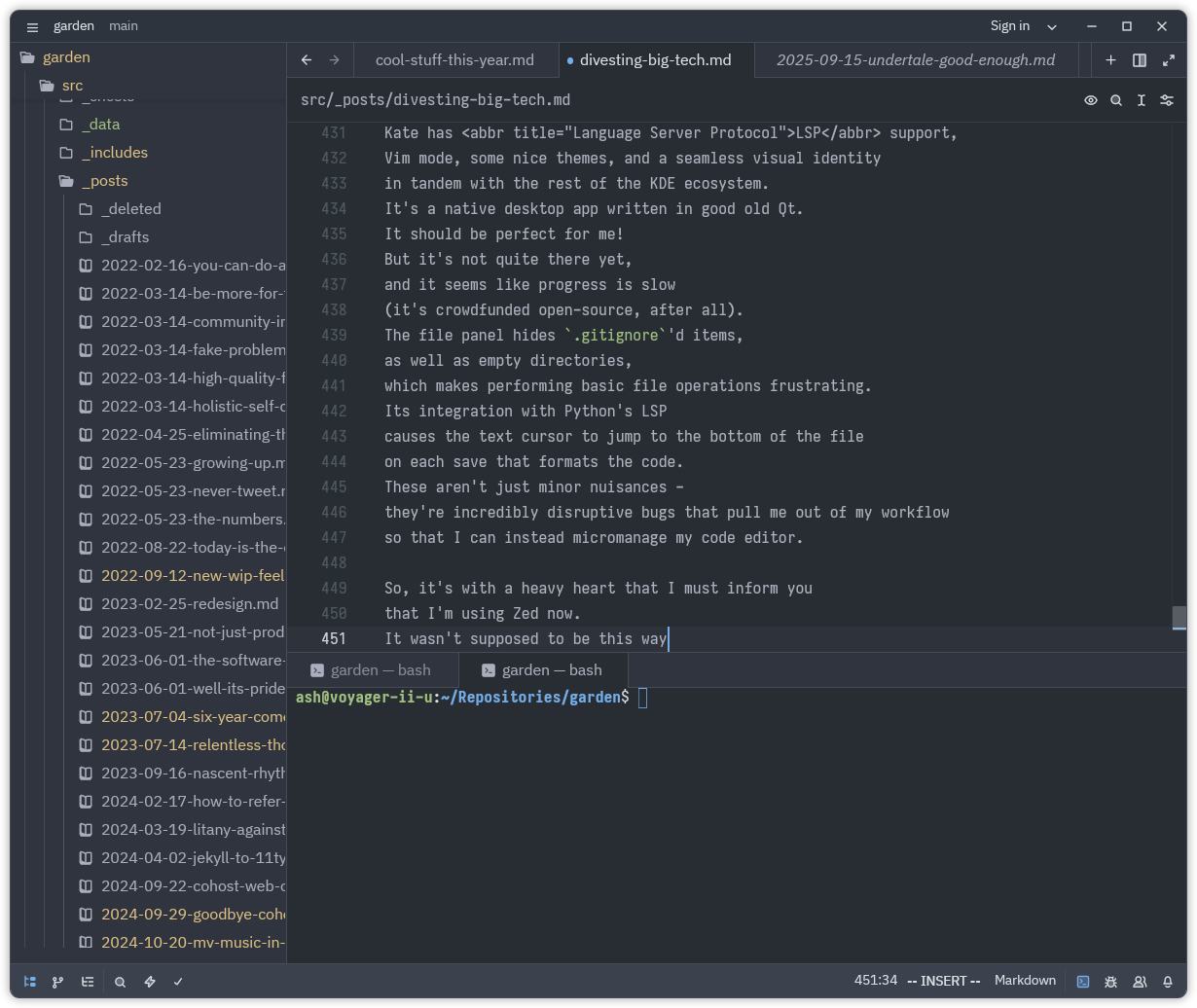
Zed's makers are not aligned with my priorities. They have a heavy focus on AI, and their product includes telemetry and an account system, but all of those elements can be disabled with a toggle or two. The codebase is open-source, but the stewards are funded by venture capital, so I fully expect the product to either get worse or lose funding sometime in the next few years. Maybe the community will pick up where they left off when that happens. Either way, this is the least principled (and probably least permanent) element of my journey.
Oh, right, the positives: the user interface is rendered entirely on the GPU, making it the most responsive code editor I've ever used. The keybinding system is flexible enough for my needs, and they didn't overbake the file panel. It hits a lot of the same "unobtrusively productive" notes as VS Code did back in the day.
For most folks, VSCodium is probably the correct move.⁴ I found it performed noticeably worse on Linux than VS Code did on Windows, but it's not clear whether the editor or the OS is at fault. Give it a shot if you just want to deprive Microsoft of telemetry & market share without learning your way around a new piece of software.
⁴ Sublime Text might also work for you; I get terrible performance, but I'm led to suspect this is the fault of my AMD GPU.
My game library
I guess I'm done with Minecraft. That's fine.
Wrapping up
Despite how long & detailed this post got, I've not been spending nearly as much time on the computer as you might be led to believe. I've been spending more and more of my time in the real world, cooking meals for myself and my housemates and being a good friend where I can. But, again, that's not entirely a flex. I need to get better at time management in order to reap the benefits of all these adjustments to my digital life. I need to listen to & write more music. I need to work on my side projects again.
To close things out, I have a request for you, dear reader: if we've talked before, and if you find a social platform that isn't shadily funded or terribly moderated, I'd love to hear about your experience. Nothing has filled the void in my life where cohost once was, and the Internet feels lonelier than ever as a result. I'm lucky to have IRL support, but I can't imagine how much lonelier it feels for my online friends who lack that interpersonal network. This is the one part of my life where I have not managed to escape Big Tech. It sucks.
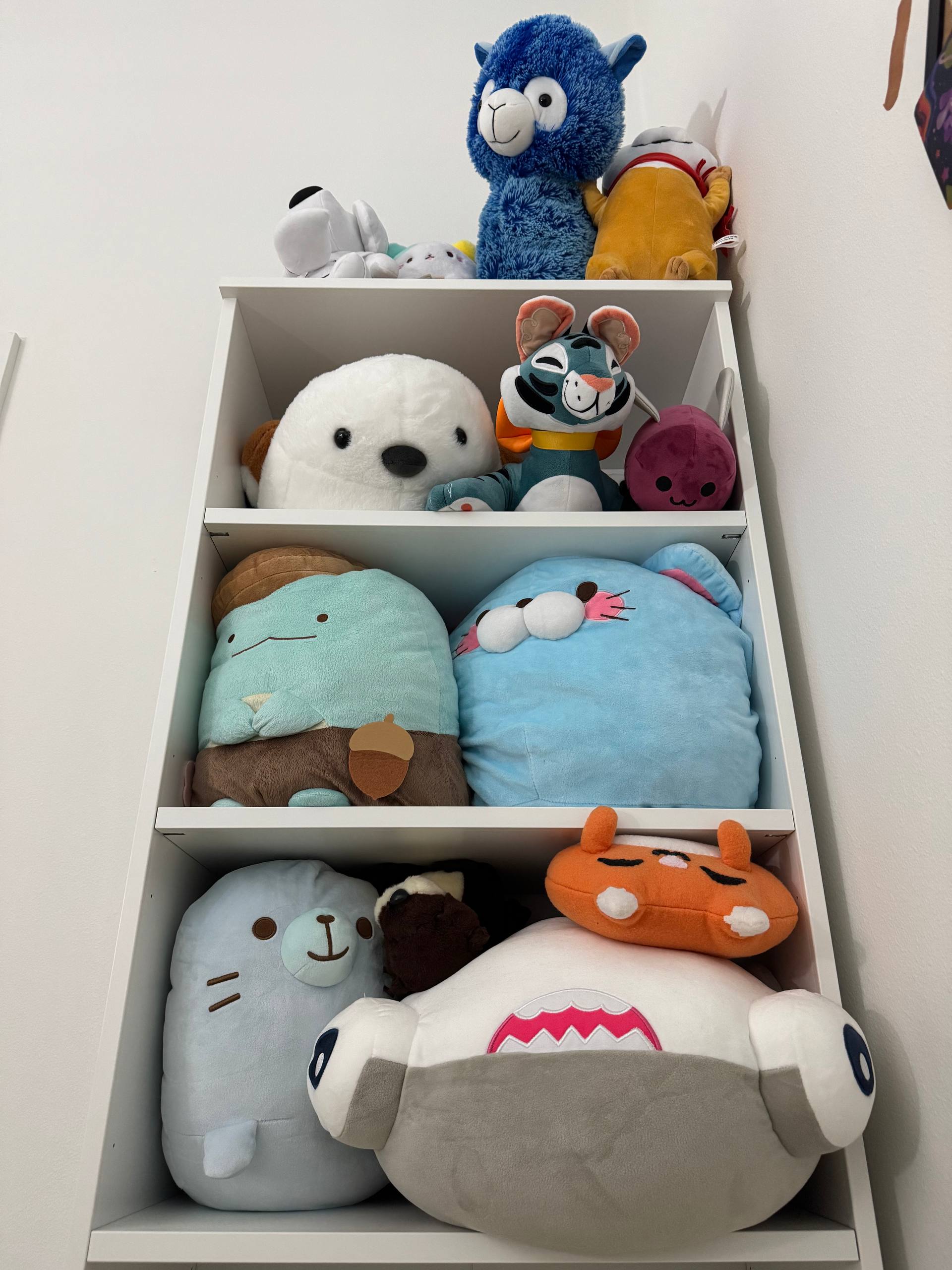
That would be a pretty sour note to end on, though, so here's my plushie tower to balance things out. Yaaay plushies :)